
Writing a short reply at work can be surprisingly tricky. You want to acknowledge the information clearly, but a reply such as “Noted” may sound too brief. On the other hand, “Well noted” can sometimes feel formal or unnatural depending on the situation.
The good news is that you have plenty of professional alternatives. You can choose a phrase that shows receipt, understanding, appreciation, agreement, or action. The best choice depends on what the sender actually expects from you.
This guide explains other ways to say well noted in an email at work, including formal, polite, friendly, and action-focused options. You’ll also learn when to use phrases such as duly noted, acknowledged, understood, “Thank you for the update,” and “I’ll take this into account.” By the end, you’ll know exactly which professional email phrases fit different workplace situations.
What Does “Well Noted” Mean in a Work Email?
Well noted generally means that you have received and acknowledged the information someone shared with you. It can signal that you have seen the message and taken its contents into consideration.
For example:
“Well noted. We’ll adjust the schedule accordingly.”
Here, the writer isn’t merely saying that they saw the email. They are also indicating that the information may influence their next step.
However, well noted doesn’t always communicate the same thing as “I understand,” “I agree,” or “I’ll do it.” Those phrases carry different meanings.
Think of workplace acknowledgment as having several levels:
| What you want to communicate | Suitable phrase |
|---|---|
| You received the message | “Received, thank you.” |
| You noticed the information | “Noted.” |
| You understand it | “Understood.” |
| You formally acknowledge it | “Acknowledged.” |
| You appreciate the update | “Thank you for the update.” |
| You’ll consider it | “I’ll take this into account.” |
| You’ll act on it | “I’ll take care of it.” |
| You understand instructions | “Understood. I’ll proceed accordingly.” |
That distinction matters in professional communication. A good email response doesn’t simply acknowledge words. It communicates the right level of understanding and responsibility.
Is “Well Noted” Professional?
Yes, well noted can work in professional communication. However, its naturalness depends heavily on context, audience, and regional workplace conventions.
Some business writers use it as a concise acknowledgment. Others may prefer more direct expressions such as “Understood,” “Noted,” or “Thank you for the update.”
The main issue isn’t grammar alone. Tone matters.
For example:
“Well noted.”
This response is brief and formal. It may work in a quick exchange, but it doesn’t tell the recipient much about what happens next.
Compare it with:
“Thank you for the update. I’ve noted the revised deadline and will adjust the schedule accordingly.”
The second response feels more complete because it acknowledges the message and explains the intended action.
When “Well Noted” Works Well
You can use well noted in email when:
- You need a brief acknowledgment.
- The information is straightforward.
- The sender doesn’t require a detailed response.
- You’re communicating in a formal workplace environment.
- You want to confirm that you’ve taken notice of something.
When a Different Phrase Works Better
Choose another expression when:
- You need to confirm an action.
- The sender provided important instructions.
- You’re responding to sensitive feedback.
- You want to sound warmer.
- You need to confirm receipt of a document.
- The recipient expects a specific next step.
The strongest work emails usually make the purpose of the response obvious.
Can “Well Noted” Sound Rude or Dismissive?
It can, especially when used by itself.
A one-line reply such as “Noted” isn’t automatically rude. Yet its shortness can make it feel abrupt when the sender has written a detailed message or raised a sensitive issue.
For example:
“Noted.”
This might be perfectly acceptable between coworkers who communicate frequently. However, after a client explains a problem in detail, it may feel too cold.
A warmer version would be:
“Thank you for bringing this to my attention. I’ve noted the issue and will review it.”
The difference is small but meaningful. The second response shows acknowledgment, respect, and responsibility.
How to Make a Short Acknowledgment Warmer
Add one of these elements:
- Appreciation: “Thank you for the update.”
- Understanding: “I understand.”
- Action: “I’ll take care of it.”
- Consideration: “I’ll take this into account.”
- Clarification: “Thanks for clarifying.”
- Confirmation: “I’ve received your message.”
This approach helps you maintain a professional tone without writing an unnecessarily long email.
25+ Professional Alternatives to “Well Noted”
Also like:
- 25+ Other Ways to Say “Thank You for Your Quick Response”
- 25+ Other Ways to Say “I Am Honored” (With Examples & Usage Tips)
- 27+ Ways to Say “Thank You for Your Assistance in This Matter”
The best alternative depends on what you’re acknowledging. Some phrases simply confirm receipt. Others communicate understanding or action.
Here are practical alternative ways to respond in workplace emails.
“Noted.”
“Noted” is probably the simplest alternative. It confirms that you’ve seen and registered the information.
Best for: Short internal messages and routine updates.
Example:
Noted. I’ll update the report before the meeting.
It’s efficient, but don’t use it automatically for every email. Repeated one-word email replies can eventually feel impersonal.
“Duly Noted.”
Duly noted is a more formal acknowledgment. It suggests that you have properly taken the information into consideration.
Best for: Formal correspondence, serious matters, and official communication.
Example:
Duly noted. We’ll include these requirements in the revised proposal.
Although professional, it can sound stiff in casual workplace conversations. Use it when the formality fits the situation.
“Acknowledged.”
“Acknowledged” directly confirms receipt or recognition of information.
Best for: Formal communication, instructions, operational messages, and situations where clear confirmation matters.
Example:
Acknowledged. The updated requirements have been shared with the team.
It has a crisp, businesslike quality. That’s useful when clarity matters more than warmth.
“Understood.”
“Understood” tells the sender that you comprehend what they have communicated.
Best for: Instructions, explanations, expectations, and corrections.
Example:
Understood. I’ll submit the revised document by Friday.
Notice that “understood” communicates more than simple receipt. It indicates comprehension.
“Thank You for the Update.”
This is one of the most natural polite professional alternatives.
It works particularly well when someone gives you new information rather than assigning a task.
Example:
Thank you for the update. I’ve noted the revised meeting time.
The phrase also adds warmth without becoming overly casual.
“Thanks for Letting Me Know.”
This expression sounds friendly while remaining appropriate for many workplace emails.
Best for: Coworkers, familiar clients, routine updates, and internal communication.
Example:
Thanks for letting me know. I’ll make the necessary changes.
It’s less formal than “Acknowledged,” but often sounds more natural.
“I’ve Noted This.”
“I’ve noted this” directly communicates that you’ve taken notice of the information.
Example:
I’ve noted this and will keep it in mind during the review.
This phrase works well when you want something slightly fuller than “Noted.”
“I’ve Taken Note of This.”
This is a formal alternative that emphasizes deliberate attention.
Best for: Feedback, instructions, policy changes, or important details.
Example:
I’ve taken note of this and will ensure the team follows the updated procedure.
It sounds more formal than “I’ve noted this,” so choose it for appropriate professional correspondence.
“I’ll Keep This in Mind.”
This phrase works when the information may affect a future decision.
Example:
Thanks for the feedback. I’ll keep this in mind when preparing the next draft.
It doesn’t simply acknowledge the message. It indicates that you’ll remember the information.
“I’ll Take This Into Account.”
Use this when someone gives you advice, feedback, preferences, or information that should influence a decision.
Example:
Thank you for the feedback. I’ll take this into account when revising the proposal.
This is particularly useful in discussions involving judgment or planning.
“I Understand.”
“I understand” confirms comprehension.
Example:
I understand. I’ll make sure the revised figures reflect the new requirements.
One important distinction remains: understanding something doesn’t necessarily mean agreeing with it.
That’s why this phrase works well during discussions, corrections, and instructions.
“I Understand Your Point.”
This response is especially useful when someone has offered an opinion, concern, or criticism.
Example:
I understand your point. I’ll review the process and consider a different approach.
It acknowledges the person’s perspective without automatically saying that you agree.
“Point Taken.”
“Point taken” means you’ve recognized and considered someone’s argument or criticism.
Example:
Point taken. I’ll make the introduction more concise in the next version.
Use this carefully. In certain contexts, it can sound defensive or slightly sarcastic. Your surrounding wording and relationship with the recipient matter.
“Received, Thank You.”
This phrase focuses specifically on receipt.
Best for: Documents, updates, attachments, requests, and formal correspondence.
Example:
Received, thank you. I’ll review the attached figures this afternoon.
It works particularly well when the sender mainly needs confirmation that the message reached you.
“Thank You, Understood.”
This combines appreciation with confirmation of understanding.
Example:
Thank you, understood. I’ll follow the revised process from Monday.
It’s short but more personable than “Noted.”
“Thanks, Noted.”
“Thanks, noted” provides a friendly version of a short acknowledgment.
Example:
Thanks, noted. I’ll update the calendar accordingly.
This works well among coworkers and in routine business emails.
“I Appreciate the Information.”
This is a polished alternative when someone has provided useful details.
Example:
I appreciate the information. It helps clarify the next steps.
It works especially well when the sender has taken time to explain something.
“Your Instructions Are Clear.”
This response works best when someone has given you directions.
Example:
Your instructions are clear. I’ll complete the revisions by Thursday.
It provides stronger confirmation than simply saying “Noted.”
“I’ve Made a Note of This.”
This is a natural, moderately formal alternative.
Example:
I’ve made a note of this and will consider it during the final review.
It’s useful when you want to emphasize that the information won’t simply disappear into the email thread.
“I’ll Keep That in Mind.”
This has a conversational, friendly quality.
Example:
Thanks for the suggestion. I’ll keep that in mind for the next campaign.
It’s particularly suitable for advice, suggestions, and constructive feedback.
“I’ll Factor This Into the Next Steps.”
This phrase connects acknowledgment with planning.
Example:
I’ve noted the resource limitations. I’ll factor this into the next steps.
It’s useful when the information has a direct effect on project decisions.
“I’ll Take Care of It.”
This is different from a simple acknowledgment because it communicates action.
Example:
Understood. I’ll take care of the revised invoice today.
Use it when you’re actually responsible for completing the task. Don’t use an action phrase if you aren’t in a position to perform the requested work.
“I’ll Follow Up Accordingly.”
This works when the message requires a future response or action.
Example:
Thank you for the details. I’ll follow up accordingly once I’ve reviewed the documents.
It sounds professional and is especially useful for ongoing projects.
“Thanks for the Clarification.”
Use this when the sender has corrected something or explained a confusing point.
Example:
Thanks for the clarification. I understand the revised requirements now.
This response is more precise than simply saying “Noted.”
“I’ve Received Your Message.”
This phrase clearly confirms receipt.
Example:
I’ve received your message. I’ll review the details and respond shortly.
It works well when you need to acknowledge an email but aren’t ready to provide the complete answer yet.
“I’ve Noted Your Feedback.”
This is ideal for performance discussions, revisions, reviews, and constructive criticism.
Example:
I’ve noted your feedback and will address the formatting issues in the next draft.
It demonstrates that you’ve recognized the feedback without implying automatic agreement.
“I’ll Keep Your Feedback in Mind.”
This is a softer way to acknowledge someone’s suggestions.
Example:
Thank you for your comments. I’ll keep your feedback in mind during the next revision.
It’s especially helpful when feedback involves subjective choices.
“Understood. I’ll Proceed Accordingly.”
This is a strong choice when instructions require action.
Example:
Understood. I’ll proceed accordingly and send the updated version tomorrow.
The phrase gives the sender two pieces of useful information: the instruction was understood and action will follow.
Best Alternatives to “Well Noted” by Tone
Choosing the right professional phrases becomes easier when you identify the tone first.
| Tone | Recommended phrase | Best situation |
|---|---|---|
| Formal | “Acknowledged.” | Official or structured communication |
| Formal | “Duly noted.” | Serious or formal matters |
| Professional | “Understood.” | Instructions and expectations |
| Professional | “I’ve noted this.” | General acknowledgment |
| Polite | “Thank you for the update.” | New information |
| Polite | “I appreciate the information.” | Useful details |
| Friendly | “Thanks for letting me know.” | Coworker communication |
| Feedback-focused | “I’ll take this into account.” | Suggestions or criticism |
| Action-focused | “I’ll take care of it.” | Assigned tasks |
| Receipt-focused | “Received, thank you.” | Documents and messages |
| Planning-focused | “I’ll keep this in mind.” | Future decisions |
The goal isn’t to find one perfect synonym. Instead, choose a phrase that accurately describes your response.
Choose the Right Alternative Based on What You Received
A simple way to improve email communication is to respond to the actual purpose of the message.
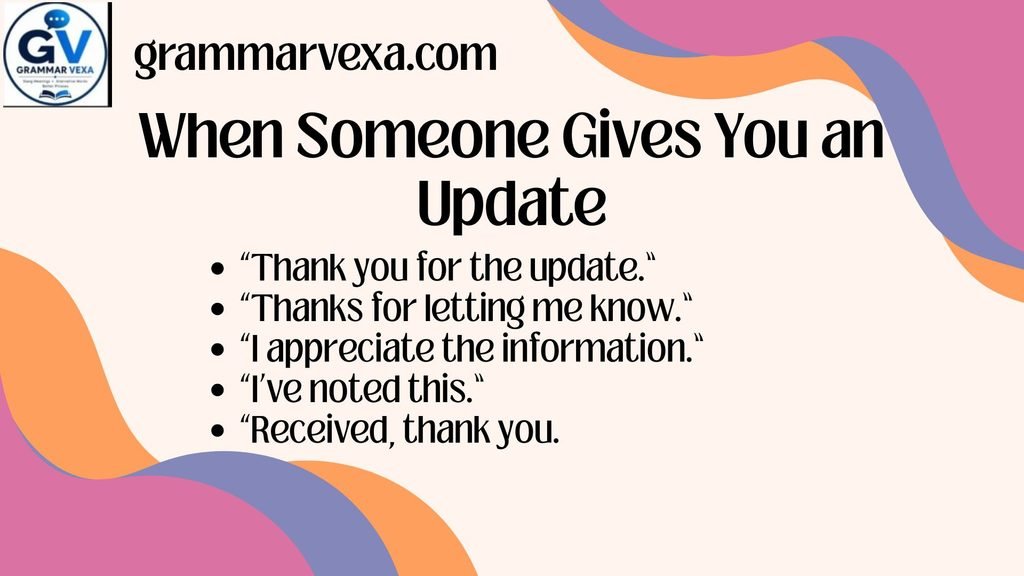
When Someone Gives You an Update
Also like:
- Excel vs Accel: Understanding the Correct Word
- 25+ Other Ways to Say “Looking Forward to Speaking With You”
- Well Deserve or Well Deserved: Which One Is Grammatically Correct?
An update doesn’t necessarily require action.
Good choices include:
- “Thank you for the update.”
- “Thanks for letting me know.”
- “I appreciate the information.”
- “I’ve noted this.”
- “Received, thank you.”
Example:
Thank you for the update. I’ve noted the revised delivery date.
This response is polite and specific without becoming wordy.
When Someone Gives You Instructions
Instructions require more than receipt. The sender usually needs confidence that you understand what to do.
Use:
- “Understood.”
- “Your instructions are clear.”
- “Understood. I’ll proceed accordingly.”
- “I’ll take care of it.”
Example:
Understood. I’ll update the presentation according to the new guidelines.
That’s stronger than simply writing “Noted.”
When Someone Gives You Feedback
Feedback deserves careful wording because acknowledgment doesn’t necessarily mean agreement.
Useful expressions include:
- “I understand your point.”
- “I’ve noted your feedback.”
- “I’ll take this into account.”
- “I’ll keep your feedback in mind.”
- “Point taken.”
Example:
Thank you for the feedback. I understand your point and will consider it in the next revision.
This response sounds thoughtful rather than defensive.
When Someone Corrects or Clarifies Something
A correction deserves recognition. A simple “Noted” may not show enough appreciation.
Try:
- “Thanks for the clarification.”
- “I understand.”
- “Thank you for clarifying.”
- “That makes sense. Thank you.”
Example:
Thanks for the clarification. I understand the updated requirement now.
When You Need to Confirm Receipt
Sometimes the sender simply needs proof that you received the message.
Use:
- “Received, thank you.”
- “I’ve received your message.”
- “Message acknowledged.”
- “I confirm receipt.”
Example:
Received, thank you. I’ll review the attached document today.
The phrase “I confirm receipt” sounds particularly formal. It fits official or administrative business correspondence better than casual internal emails.
When You Need to Confirm Action
If the email contains a task, don’t hide the action behind vague acknowledgment.
Use:
- “I’ll take care of it.”
- “I’ll follow up accordingly.”
- “I’ll proceed accordingly.”
- “I’ll handle this today.”
Example:
Understood. I’ll handle this today and send you an update by 4 p.m.
This creates accountability and makes the response much more useful.
“Well Noted” vs. “Noted” vs. “Duly Noted” vs. “Understood”
These expressions may look interchangeable, but their meanings aren’t identical.
| Phrase | What it primarily communicates | Formality | Potential issue |
|---|---|---|---|
| Well noted | Information has been acknowledged | Medium-high | May sound stiff |
| Noted | Information has been registered | Medium | Can sound abrupt |
| Duly noted | Information has been properly acknowledged | High | May sound overly formal |
| Understood | The message has been comprehended | Medium | Doesn’t necessarily mean agreement |
| Acknowledged | Receipt or recognition | High | Can sound impersonal |
| “Thank you for the update” | Information has been received appreciatively | Medium | Doesn’t confirm action |
| “I’ll take this into account” | Information will influence consideration | Medium | Doesn’t confirm receipt alone |
| “I’ll take care of it” | Action will follow | Medium | Should only be used when action is possible |
Which Phrase Should You Choose?
Use a simple four-part framework:
Receipt → Understanding → Consideration → Action
Ask yourself what you need to communicate.
Receipt
Use:
“Received, thank you.”
Understanding
Use:
“Understood.”
Consideration
Use:
“I’ll take this into account.”
Action
Use:
“I’ll take care of it.”
This framework prevents one of the most common problems in professional email communication: using a vague acknowledgment when the situation requires something more specific.
How to Make a “Well Noted” Reply Sound More Natural
A short reply doesn’t have to sound robotic. Small changes can make your email responses warmer and more useful.
Add Appreciation
Instead of:
Noted.
Try:
Thank you for the update. I’ve noted the change.
The second version recognizes the sender’s effort.
Show Understanding
Instead of:
Well noted.
Try:
Understood. I’ll follow the revised instructions.
Now the sender knows that you understood what they said.
Mention the Next Step
Instead of:
Acknowledged.
Try:
Acknowledged. I’ll update the document before tomorrow’s meeting.
This creates a clear connection between information and action.
Match the Sender’s Tone
Your relationship matters.
For a close coworker:
Thanks for letting me know. I’ll handle it.
Suitable for amanager:
Understood. I’ll make the requested changes.
As a client:
Thank you for the update. I’ve noted the revised requirements.
For formal correspondence:
Acknowledged. The revised requirements have been noted.
The same message can require different workplace tone depending on the recipient.
Common Mistakes When Using “Well Noted” Alternatives
Even grammatically correct phrases can create communication problems.
Using “Noted” for Everything
If every email receives “Noted,” your replies may start to look automated.
A better approach is to vary your response according to purpose.
“Thanks for the update.”
“Understood. I’ll make the changes.”
“I’ll take that into account.”
These expressions provide more information than a repeated one-word response.
Confusing Acknowledgment With Agreement
Also like:
- 27+ Professional Ways to Say “Good Luck in Your Future Endeavors”
- Opposite of Benefit: Meaning, Examples, Synonyms, and Usage Guide
- What Kind vs. What Kinds: 27+ Correct Alternatives
“Understood” doesn’t necessarily mean “I agree.”
Similarly, “I’ve noted your feedback” doesn’t mean you’ve accepted every recommendation.
This distinction is important during workplace disagreements.
For example:
“I understand your concern, although I’d like to review the figures before making a decision.”
That’s more precise than pretending acknowledgment equals agreement.
Using “Duly Noted” in Casual Emails
“Duly noted” has a formal flavor.
It can be useful in serious formal communication, but it may feel unnecessarily stiff in a quick exchange with a coworker.
A friendlier alternative would be:
“Thanks, I’ll keep that in mind.”
Confirming Receipt Without Confirming Action
Imagine your manager sends:
“Please update the sales figures before tomorrow morning.”
Replying:
“Received, thank you.”
confirms receipt but doesn’t clearly confirm responsibility.
A stronger response would be:
“Understood. I’ll update the sales figures before tomorrow morning.”
The second response removes ambiguity.
Giving a Very Short Reply to a Detailed Message
Some emails require more than a quick acknowledgment.
If someone spends several paragraphs explaining a project problem, “Noted” may seem dismissive.
Instead, identify the key point:
“Thank you for explaining the issue. I understand the concern and will review the affected items before our meeting.”
That response remains concise while demonstrating genuine attention.
Practical Email Examples Using “Well Noted” Alternatives
The following examples show how these phrases work in realistic workplace situations.
Replying to a Manager’s Instructions
Situation: Your manager gives you specific instructions about a report.
Subject: Re: Monthly Report
Understood. I’ll apply the revised reporting format and send the updated version before Friday’s review.
This is better than “Well noted” because it confirms both comprehension and action.
Responding to a Client’s Update
Situation: A client changes the project deadline.
Thank you for the update. I’ve noted the revised deadline and will adjust the project schedule accordingly.
This response is courteous and professional.
Responding to Coworker Feedback
Situation: A coworker suggests simplifying a presentation.
Thanks for the feedback. I understand your point and I’ll keep it in mind when revising the slides.
This keeps the professional tone while sounding natural.
Acknowledging a Deadline
Situation: Someone gives you a firm deadline.
Understood. I’ll complete the requested changes by Thursday afternoon.
There’s no need for a lengthy response when the expectation is clear.
Confirming a Correction
Situation: A colleague corrects a figure in a spreadsheet.
Thanks for the clarification. I’ve noted the corrected figure and will use it in the final report.
This confirms that the correction won’t be overlooked.
Acknowledging a Request
Situation: A client asks you to review a document.
Received, thank you. I’ll review the document and get back to you with my comments.
This is much more useful than simply saying “Noted.”
A Simple Decision Guide for Choosing a “Well Noted” Alternative
When you’re unsure what to write, identify the purpose of your reply first.
| If you need to… | Say… |
|---|---|
| Confirm receipt | “Received, thank you.” |
| Acknowledge information | “Noted.” |
| Sound formal | “Acknowledged.” |
| Confirm understanding | “Understood.” |
| Thank someone for an update | “Thank you for the update.” |
| Respond to feedback | “I’ll take this into account.” |
| Acknowledge criticism | “I understand your point.” |
| Sound friendly | “Thanks for letting me know.” |
| Confirm instructions | “Your instructions are clear.” |
| Confirm action | “I’ll take care of it.” |
| Confirm future follow-up | “I’ll follow up accordingly.” |
| Acknowledge clarification | “Thanks for the clarification.” |
This quick guide can make everyday work email responses much easier.
Best Practices for Professional Email Acknowledgments
Good email etiquette isn’t about using the fanciest phrase. It’s about making your meaning clear.
Be Specific When Action Matters
If the sender expects you to do something, mention the action.
Instead of:
Noted.
Write:
Understood. I’ll update the file today.
That tiny addition can prevent confusion.
Use Appreciation When Someone Provides Help
If someone gives you useful information, acknowledge their effort.
Thank you for the details. I’ve noted the changes.
This feels more courteous than a bare acknowledgment.
Keep Routine Replies Short
Not every message requires a paragraph.
For a simple internal update:
Thanks for letting me know.
may be enough.
The best workplace writing is often economical.
Don’t Promise What You Can’t Deliver
Avoid saying:
I’ll take care of it.
unless you actually have responsibility and authority to handle the task.
Choose a more accurate response:
I’ve noted the request and will confirm the next steps.
Accuracy builds trust in professional exchanges.
Match Formality to the Relationship
A client, executive, teammate, and close coworker may require different language.
Formal:
Acknowledged. I’ll review the information and respond accordingly.
Neutral:
Understood. I’ll review the information.
Friendly:
Thanks for letting me know. I’ll take a look.
All three can be professional. The difference is the workplace tone.
Pros and Cons of Common “Well Noted” Alternatives
No phrase works perfectly in every situation.
| Phrase | Advantages | Possible drawback |
|---|---|---|
| “Noted” | Very concise | Can feel abrupt |
| “Duly noted” | Formal and clear | May sound stiff |
| “Acknowledged” | Strong formal confirmation | Can feel impersonal |
| “Understood” | Clearly shows comprehension | Doesn’t show agreement |
| “Thank you for the update” | Warm and natural | Doesn’t confirm action |
| “Received, thank you” | Clearly confirms receipt | Doesn’t show understanding |
| “I’ll keep this in mind” | Friendly and natural | Doesn’t promise action |
| “I’ll take care of it” | Clearly communicates action | Can overpromise |
| “Point taken” | Useful for feedback | Can sound defensive |
| “I appreciate the information” | Courteous and polished | Slightly formal for quick chats |
Understanding these trade-offs helps you select suitable phrases rather than blindly replacing one synonym with another.
Case Study: Why the Right Acknowledgment Matters
Consider a simple project situation.
A project manager writes:
“The client has moved the launch date forward by one week. Please update the content calendar and notify the design team.”
A weak reply would be:
“Well noted.”
The response confirms very little. Did you understand the deadline? Will you update the calendar? Will you contact design?
A stronger reply would be:
“Understood. I’ll update the content calendar and notify the design team today.”
Now the message confirms understanding and action.
The difference isn’t about using more words. It’s about using more useful words.
This principle applies across corporate communication, customer service, project management, administration, sales, and everyday office emails.
Expert Tips for Better Workplace Email Responses
Think Beyond Synonyms
Also like:
- Science Words That Start With J: Scientific Terms and Their Meanings
- EMP Meaning in Text From a Girl: What It Really Means, Different Interpretations, and How to Respond
- 250+ Science Words That Start With Y (With Simple Meanings)
When searching for other ways to say well noted, don’t limit yourself to dictionary synonyms.
“Noted,” “acknowledged,” and “duly noted” all focus on recognition. However, “I’ll take this into account” adds consideration. “I’ll take care of it” adds action.
The best alternative may therefore be a phrase that communicates the function of the reply rather than the literal meaning.
Separate Receipt From Responsibility
This is one of the most useful distinctions in business writing.
“Received, thank you.”
Refers to the message arrived.
“Understood.”
Means the message was understood.
“I’ll take care of it.”
Means action will follow.
These aren’t interchangeable.
Use a Complete Thought When the Topic Is Important
For sensitive matters, feedback, client concerns, and deadlines, a fuller response usually creates greater clarity.
Instead of:
“Noted.”
Try:
“Thank you for raising this. I’ve noted the concern and will review it before our next meeting.”
You don’t need a long email. You need a meaningful one.
Avoid Forced Formality
Professional writing doesn’t have to sound bureaucratic.
Compare:
“Your message has been duly acknowledged and appropriately taken into consideration.”
with:
“Thanks for the information. I’ll take it into account.”
The second version is clearer, shorter, and more natural.
Professional doesn’t mean complicated.
Frequently Asked Questions
Is “well noted” correct in professional emails?
Yes, well noted can function as a professional acknowledgment. However, its naturalness depends on the context. In many workplace situations, “Noted,” “Understood,” or “Thank you for the update” may sound more direct and natural.
Is “well noted” better than “noted”?
Not necessarily. “Well noted” sounds more formal, while “Noted” is shorter and more direct. Neither phrase is automatically better.
Choose based on your audience and purpose.
Is saying “noted” rude in an email?
“Noted” isn’t inherently rude. However, it can sound abrupt when used alone, particularly after a detailed or sensitive message.
Adding context can make the response warmer:
“Thanks for the update. Noted, and I’ll make the necessary changes.”
What is the most polite way to say “well noted”?
“Thank you for the update. I’ve noted this” is a polite and natural option.
For feedback, you could say:
“Thank you for the feedback. I’ll take this into account.”
The best choice depends on what you’re acknowledging.
What is a formal alternative to “well noted”?
Good formal alternatives include:
- “Acknowledged.”
- “Duly noted.”
- “I’ve taken note of this.”
- “I confirm receipt.”
- “I’ve received your message.”
Use the most formal option only when the context requires it.
What can I say instead of “well noted” to my boss?
For instructions, “Understood. I’ll proceed accordingly” works well.
For updates, try:
“Thank you for the update. I’ve noted the changes.”
For assigned work:
“Understood. I’ll take care of it.”
What can I say instead of “well noted” to a client?
Use a courteous phrase that recognizes the client’s message.
For example:
“Thank you for the update. I’ve noted the revised requirements.”
Or:
“Thank you for the clarification. I’ll make sure we account for this in the next steps.”
These responses maintain a respectful professional tone.
How do you acknowledge an email professionally?
Start by identifying what the sender needs.
When they only need confirmation:
“Received, thank you.”
Anyone who provided information:
“Thank you for the update. I’ve noted the details.”
Those who gave instructions:
“Understood. I’ll proceed accordingly.”
If they assigned a task:
“Understood. I’ll complete this by Thursday.”
Does “understood” mean the same as “noted”?
No. The phrases overlap but serve different purposes.
Noted emphasizes recognition of information.
Understood emphasizes comprehension.
For example:
“Noted. The meeting starts at 10 a.m.”
confirms that you registered the information.
“Understood. I’ll arrive before 10 a.m.”
confirms both comprehension and action.
Is “received with thanks” professional?
Yes. Received with thanks is a formal acknowledgment that confirms receipt while expressing appreciation.
It works best in formal emails, administrative messages, document exchanges, and other situations where receipt needs to be clear.
Is “got it” appropriate for work emails?
“Got it” can work in casual internal communication, especially with familiar coworkers. However, it may sound too informal for clients, executives, official communication, or formal business correspondence.
A safer professional alternative is:
“Understood.”
What does “noted with thanks” mean?
“Noted with thanks” means the sender has acknowledged the information and appreciates receiving it.
It is formal and can work in business correspondence. For everyday workplace communication, “Thank you for the update. I’ve noted this” often sounds more natural.
What is the best professional response to an email?
There isn’t one universal response. The best professional response to an email matches the sender’s purpose.
Use:
- Receipt: “Received, thank you.”
- Understanding: “Understood.”
- Update: “Thank you for the update.”
- Feedback: “I’ll take this into account.”
- Action: “I’ll take care of it.”
- Clarification: “Thanks for the clarification.”
How can you acknowledge an email without saying “noted”?
You can say:
- “Understood.”
- “Acknowledged.”
- “Thank you for the update.”
- “Thanks for letting me know.”
- “I’ve received your message.”
- “I appreciate the information.”
- “I’ll keep this in mind.”
- “I’ll take this into account.”
These alternative expressions let you choose wording that better matches the situation.
Final Tips for Choosing the Best “Well Noted” Alternative
The best well noted alternatives aren’t simply different words with identical meanings. Each phrase communicates a slightly different message.
Before replying, ask yourself what the sender needs to know.
If they need receipt:
Use “Received, thank you.”
In case they need acknowledgment:
Use “Noted” or “Acknowledged.”
If they need confirmation of understanding:
Use “Understood.”
When those people gave you useful information:
Use “Thank you for the update.”
If they offered feedback:
Use “I’ll take this into account.”
If they gave you instructions:
Use “Understood. I’ll proceed accordingly.”
If they expect action:
Use “I’ll take care of it.”
If they clarified something:
Use “Thanks for the clarification.”
The strongest professional emails don’t rely on complicated language. They make the sender feel heard, understood, and confident about what happens next.
When a simple acknowledgment is enough, keep it short. When an email involves instructions, feedback, deadlines, or responsibilities, add the detail that matters. That’s the real key to effective email communication: choose words that accurately reflect your response while keeping the tone polite, clear, and professional.

Wilson Parker is an English language writer and contributor at Grammar Vexa. I focus on exploring word meanings, slang, vocabulary, synonyms, and alternative words and phrases. My goal is to provide clear explanations and practical examples that help readers understand and use English more confidently.






1 thought on “25+ Other Ways to Say “Well Noted” in an Email at Work”